


- Find the best broker for your trading needs
- Compare spreads, fees, and platforms
- Read in-depth reviews and analysis
Page Navigation

Choose Your Country or Region
Select a different country or region to view content tailored to your location.
FxScouts review services independently to help you make informed decisions.
Advertiser Disclosure
FxScouts helps traders across the globe by meticulously testing and reviewing online brokers and providing Forex education and market analysis. Our partners compensate us through paid advertising. While partners may pay to provide offers or be featured, they cannot pay to alter our recommendations, advice, ratings, or any other content. Our content and research teams do not participate in any advertising planning nor are they permitted access to advertising campaign data. For more detailed information click this link.

Stefan is a financial writer and Forex trading enthusiast with over a decade of experience in finance and technology. His interest in geopolitics, big data, and market sentiment drives his analysis of global market trends, with unbiased, well-researched content to help traders navigate the markets confidently.
Learn more about Stefan de Clerk

Learn more about Alison Heyerdahl
Best Forex Trading Apps in the the Philippines for 2026
Author
Stefan is a financial writer and Forex trading enthusiast with over a decade of experience in finance and technology. His interest in geopolitics, big data, and market sentiment drives his analysis of global market trends, with unbiased, well-researched content to help traders navigate the markets confidently.
Learn more about Stefan de Clerk
Alison Heyerdahl is the Head of Content at FxScouts, a Chartered Market Technician (CMT), and an experienced trader, as well as a financial writer with extensive expertise in Forex trading, broker analysis, and market research. She has reviewed 100+ brokers, publishes weekly YouTube trading videos, and co-hosts the “Let’s Talk Forex” podcast.
Learn more about Alison Heyerdahl
Choosing the best forex trading app should be easy. Unfortunately, as I and many other traders have discovered, reality is not so simple.
A forex trading app is not just an app. It is a trading platform, a broker connection, a charting tool, an account management system, and sometimes, a very efficient way to make bad decisions faster than you would on a desktop computer.
The best app for a beginner who wants a clean mobile experience is not the same as the best app for a scalper, a copy trader, or someone running automated strategies.
-
So, the question is not: Which broker has the best app?
-
The better question is: Which trading app makes sense for how you trade?
Trusted. Transparent. Tested.
For over a decade, we’ve set the standard in forex broker reviews—collecting thousands of data points yearly to deliver unbiased, expert-backed insights.
Skip the trial and error! Below, you’ll find the best forex brokers in the Philippines for 2026—thoroughly tested, verified, and ranked, so you can trade with confidence.

Best Forex Trading Apps 2026
You can either use the arrow button or swipe on mobile
Name | Ease of use How easy is the app to learn and use | App Type Third party apps are available at multilple brokers | Supported Brokers Which brokers offer this app | Stability Score We measure how often an app lags, crashes or freezes. | App Store Score | Google Play Score | Copy Trading | Advanced Charting | Automation Support | |
|---|---|---|---|---|---|---|---|---|---|---|
| Avatrade App |  | Intuituve but basic | Broker owned | 4 | 4.30 | 4.10 | No | No | No | |
| HFM App |  | Integrated education and copy trading | Broker owned | 4 | 3.40 | 4.10 | Yes | No | No | |
| TradingView App |  | Best in class for charting | Third Party | 5 | 4.80 | 4.70 | Yes | Yes | Yes | |
| Exness Trade App |  | Beginner-friendly and stable | Broker owned | 4 | 4.70 | 4.60 | No | No | No | |
| MT5 App |  | Advanced but Cluttered | Third Party | 5 | 4.80 | 4.80 | Yes | Yes | Yes | |
| MT4 App |  | Complex and Dated | Third Party | 5 | 4.80 | 4.60 | Yes | No | Yes | |
| cTrader App |  | Modern and powerful | Third Party | 5 | 4.80 | 4.70 | Yes | Yes | Yes | |
| Pepperstone App |  | Easy-to-use but unstable | Broker owned | 3 | 3.40 | 4.20 | No | No | No | |
| xStation App |  | Easy to use with excellent charting | Broker owned | 4 | 4.70 | 4.50 | No | Yes | No | |
| XM App |  | Modern but lacking advanced functionality | Broker owned | 3 | 4.80 | 4.30 | Yes | No | Yes |
A sponsored broker is a forex broker who is promoted by a third-party company or individual, often in exchange for a fee. This typically involves the sponsor recommending the broker to their audience through various channels, such as a website, social media, or a trading community.
Name
Avatrade App
Ease of use
How easy is the app to learn and use
Intuituve but basic
App Type
Third party apps are available at multilple brokers
Broker owned
Supported Brokers
Which brokers offer this app
avatrade
Stability Score
We measure how often an app lags, crashes or freezes.
4
App Store Score
4.3
Google Play Score
4.1
Copy Trading
No
Advanced Charting
No
Automation Support
No
A sponsored broker is a forex broker who is promoted by a third-party company or individual, often in exchange for a fee. This typically involves the sponsor recommending the broker to their audience through various channels, such as a website, social media, or a trading community.
Name
HFM App
Ease of use
How easy is the app to learn and use
Integrated education and copy trading
App Type
Third party apps are available at multilple brokers
Broker owned
Supported Brokers
Which brokers offer this app
hotforex
Stability Score
We measure how often an app lags, crashes or freezes.
4
App Store Score
3.4
Google Play Score
4.1
Copy Trading
Yes
Advanced Charting
No
Automation Support
No
A sponsored broker is a forex broker who is promoted by a third-party company or individual, often in exchange for a fee. This typically involves the sponsor recommending the broker to their audience through various channels, such as a website, social media, or a trading community.
Name
TradingView App
Ease of use
How easy is the app to learn and use
Best in class for charting
App Type
Third party apps are available at multilple brokers
Third Party
Supported Brokers
Which brokers offer this app
pepperstone, fpmarkets, forexcom, icmarkets
Stability Score
We measure how often an app lags, crashes or freezes.
5
App Store Score
4.8
Google Play Score
4.7
Copy Trading
Yes
Advanced Charting
Yes
Automation Support
Yes
A sponsored broker is a forex broker who is promoted by a third-party company or individual, often in exchange for a fee. This typically involves the sponsor recommending the broker to their audience through various channels, such as a website, social media, or a trading community.
Name
Exness Trade App
Ease of use
How easy is the app to learn and use
Beginner-friendly and stable
App Type
Third party apps are available at multilple brokers
Broker owned
Supported Brokers
Which brokers offer this app
exness
Stability Score
We measure how often an app lags, crashes or freezes.
4
App Store Score
4.7
Google Play Score
4.6
Copy Trading
No
Advanced Charting
No
Automation Support
No
A sponsored broker is a forex broker who is promoted by a third-party company or individual, often in exchange for a fee. This typically involves the sponsor recommending the broker to their audience through various channels, such as a website, social media, or a trading community.
Name
MT5 App
Ease of use
How easy is the app to learn and use
Advanced but Cluttered
App Type
Third party apps are available at multilple brokers
Third Party
Supported Brokers
Which brokers offer this app
fpmarkets, pepperstone, hotforex
Stability Score
We measure how often an app lags, crashes or freezes.
5
App Store Score
4.8
Google Play Score
4.8
Copy Trading
Yes
Advanced Charting
Yes
Automation Support
Yes
A sponsored broker is a forex broker who is promoted by a third-party company or individual, often in exchange for a fee. This typically involves the sponsor recommending the broker to their audience through various channels, such as a website, social media, or a trading community.
Name
MT4 App
Ease of use
How easy is the app to learn and use
Complex and Dated
App Type
Third party apps are available at multilple brokers
Third Party
Supported Brokers
Which brokers offer this app
avatrade, xm, exness
Stability Score
We measure how often an app lags, crashes or freezes.
5
App Store Score
4.8
Google Play Score
4.6
Copy Trading
Yes
Advanced Charting
No
Automation Support
Yes
A sponsored broker is a forex broker who is promoted by a third-party company or individual, often in exchange for a fee. This typically involves the sponsor recommending the broker to their audience through various channels, such as a website, social media, or a trading community.
Name
cTrader App
Ease of use
How easy is the app to learn and use
Modern and powerful
App Type
Third party apps are available at multilple brokers
Third Party
Supported Brokers
Which brokers offer this app
pepperstone, fpmarkets, fusionmarkets
Stability Score
We measure how often an app lags, crashes or freezes.
5
App Store Score
4.8
Google Play Score
4.7
Copy Trading
Yes
Advanced Charting
Yes
Automation Support
Yes
A sponsored broker is a forex broker who is promoted by a third-party company or individual, often in exchange for a fee. This typically involves the sponsor recommending the broker to their audience through various channels, such as a website, social media, or a trading community.
Name
Pepperstone App
Ease of use
How easy is the app to learn and use
Easy-to-use but unstable
App Type
Third party apps are available at multilple brokers
Broker owned
Supported Brokers
Which brokers offer this app
pepperstone
Stability Score
We measure how often an app lags, crashes or freezes.
3
App Store Score
3.4
Google Play Score
4.2
Copy Trading
No
Advanced Charting
No
Automation Support
No
A sponsored broker is a forex broker who is promoted by a third-party company or individual, often in exchange for a fee. This typically involves the sponsor recommending the broker to their audience through various channels, such as a website, social media, or a trading community.
Name
xStation App
Ease of use
How easy is the app to learn and use
Easy to use with excellent charting
App Type
Third party apps are available at multilple brokers
Broker owned
Supported Brokers
Which brokers offer this app
xtb
Stability Score
We measure how often an app lags, crashes or freezes.
4
App Store Score
4.7
Google Play Score
4.5
Copy Trading
No
Advanced Charting
Yes
Automation Support
No
A sponsored broker is a forex broker who is promoted by a third-party company or individual, often in exchange for a fee. This typically involves the sponsor recommending the broker to their audience through various channels, such as a website, social media, or a trading community.
Name
XM App
Ease of use
How easy is the app to learn and use
Modern but lacking advanced functionality
App Type
Third party apps are available at multilple brokers
Broker owned
Supported Brokers
Which brokers offer this app
xm
Stability Score
We measure how often an app lags, crashes or freezes.
3
App Store Score
4.8
Google Play Score
4.3
Copy Trading
Yes
Advanced Charting
No
Automation Support
Yes

Select another broker to another broker to compare features, fees, and platforms side by side.
Find Your Ideal Forex Broker
Compare Forex Brokers
Avatrade App
For beginners who want an intuitive and modern app with built-in risk protection
Stability Score
4.0
iOS Rating
4.30
Android Rating
4.10
Copy Trading
No
Ease of Use
Intuituve but basic
Why Avatrade App Stands Out
-
All-in-One Trading App
The AvaTrade app combines live pricing, basic charting, and one-tap order execution.
-
Built-In Risk Protection
AvaProtect lets traders shield positions from losses for a chosen period.
-
Broad Market Coverage
Access 1,000+ instruments — forex, indices, stocks, commodities, and crypto — from one app.
-
Seamless Sync Across Devices
Trade fluidly between mobile, WebTrader, and desktop without losing data.
-
Smart Alerts & Notifications
Set custom price alerts and receive instant updates on key market movements.
Why Avatrade App Falls Short
-
Limited Advanced Features
Mobile charting tools are lighter than full desktop MT4/MT5 setups.
-
Feature Availability by Region
Leverage and product range differ depending on local regulation.
-
Some Stability Issues
While more stable than most trading apps, log-outs and crashes can occur
Final Verdict: Is Avatrade App right for you?
Highlights
-
You want a mobile-first trading experience with advanced tools and real-time alerts
-
You value built-in risk protection like AvaProtect™
-
You trade multiple markets and want seamless access across devices
Drawbacks
-
You rely heavily on advanced charting or automated trading features
-
You’re in a region with tighter product or leverage restrictions
HFM App
For mobile-first traders who want a simple app for trading 500+ CFDs and account management,
Stability Score
4.0
iOS Rating
3.40
Android Rating
4.10
Copy Trading
Yes
Ease of Use
Integrated education and copy trading
Why HFM App Stands Out
-
Cleaner Experience Than MetaTrader
Like most broker-owned apps, the HFM app is likely to feel more approachable than MT4 or MT5 for newer traders. HFM’s app is better suited to traders who want a more direct mobile experience, especially for everyday account access and basic trade management.
-
Access to 500+ Trading Instruments
Traders can access more than 500 trading instruments through the app. This makes the app useful for traders who want to follow several CFD markets from one account, rather than switching between different apps for forex, commodities, indices, and other instruments.
-
Backed by a Regulated Broker Group
HFM is regulated in several jurisdictions worldwide. This does not remove the risks of CFD trading, but it is important for traders who want a mobile app connected to a regulated broker rather than an anonymous trading platform.
Why HFM App Falls Short
-
Less Flexible Than Third-Party Platforms
The main limitation of the HFM app is that it is tied to HFM. Unlike MT4, MT5, cTrader, or TradingView, it is not a platform traders can take with them to another broker. If you like testing several brokers or keeping the same platform across different accounts, this lack of portability matters.
-
Not Built for Advanced Automation
The HFM app is best understood as a mobile trading and account-management tool, not a full replacement for desktop trading software. Traders who rely on Expert Advisors, custom indicators or backtesting will be better served by MT4, MT5, or another specialist platform.
Final Verdict: Is HFM App right for you?
Highlights
-
You want a broker-owned mobile app for monitoring markets, managing trades, and accessing your HFM account
-
You prefer a cleaner mobile experience over the more technical interface of MetaTrader
Drawbacks
-
You want a platform you can use with several different brokers
-
You rely heavily on automated trading, Expert Advisors, or advanced desktop charting tools
TradingView App
For traders who want best-in-class charting, clean mobile analysis, and broker execution where supported
Stability Score
5.0
iOS Rating
4.80
Android Rating
4.70
Copy Trading
Yes
Ease of Use
Best in class for charting
Why TradingView App Stands Out
-
Excellent Charts and Technical Analysis
TradingView is strongest as a charting and analysis app. Its clean interface, drawing tools, indicators, watchlists, and multi-device syncing make it a very strong choice for traders who spend more time analysing markets than simply placing orders. Charts and analysis started on desktop are also available on mobile, which makes it useful for traders who move between devices.
-
Powerful Alerts Across Devices
Traders can set alerts around price levels, indicators, and custom conditions, then receive notifications on mobile, desktop, email, or webhook. For traders who do not want to stare at charts all day, this is a serious advantage.
-
Useful for Multi-Asset Traders
TradingView covers far more than forex. Traders can follow currencies, indices, commodities, shares, and cryptocurrencies from the same interface. This makes it particularly useful for traders who want to understand broader market context.
-
Broker Trading Where Supported
TradingView allows users to trade directly through integrated brokers, which means some traders can analyse and execute from the same platform. Broker support is not universal, so traders should check whether their preferred broker is connected first.
-
Paper Trading for Practice
TradingView also offers paper trading, allowing traders to practise buying and selling without risking real money. This is useful for testing ideas, learning the platform, or checking whether a strategy makes sense before adding the emotional complication of actual capital.
Why TradingView App Falls Short
-
Not Every Broker Supports Direct Trading
TradingView is excellent for analysis, but it is not always the place where trades are executed. Many traders still use TradingView for charts and then place orders through MT4, MT5, cTrader, or a broker app. This is not a deal-breaker, but it does mean TradingView is often part of a workflow rather than the whole trading setup.
-
Advanced Features May Require a Paid Plan
TradingView can be used for free, but serious users may run into limits around alerts, indicators, layouts, and data. For traders who rely heavily on charting, the paid plans may become less of a luxury and more of an operating cost.
Final Verdict: Is TradingView App right for you?
Highlights
-
You want a clean, powerful charting app that works well across desktop and mobile
-
You use alerts, drawing tools, and technical analysis as a major part of your trading process
Drawbacks
-
You want all brokers and all account types to be available for direct execution inside the app
-
You prefer a simple broker-owned app focused mainly on deposits, withdrawals, and basic trade placement
Exness Trade App
Best for account management, deposits and withdrawals, and everyday trade monitoring
Stability Score
4.0
iOS Rating
4.70
Android Rating
4.60
Copy Trading
No
Ease of Use
Beginner-friendly and stable
Why Exness Trade App Stands Out
-
Built Around Mobile Account Management
For many users, the Exness app's main appeal is not that it replaces a full desktop platform, but that it makes everyday account tasks easier: checking balances, monitoring positions, managing accounts, and moving between trading activity and account settings.
-
Useful for Deposits and Withdrawals
Exness is well known for putting payments and account access at the centre of its trading experience, and the Trade app fits that approach. For traders who value fast account funding and withdrawals, the app is more convenient than using MetaTrader for execution and a separate browser login for everything else.
-
Cleaner Than MetaTrader for Beginners
Like most proprietary broker apps, Exness Trade is generally easier to navigate than MT4 or MT5. MetaTrader remains more powerful for advanced platform users, but it can feel crowded and technical. Exness Trade is better suited to traders who want a simpler mobile experience and do not want to wrestle with a platform designed mainly for desktop trading.
-
Good Companion to MetaTrader
Exness Trade is best seen as part of a wider trading setup rather than a complete replacement for every other platform. Many traders will still prefer MT4 or MT5 for chart-heavy trading, automation, or more detailed order management, while using the Exness app for account monitoring, payments, and quick mobile access.
Why Exness Trade App Falls Short
-
Not as Flexible as Third-Party Platforms
The main limitation of Exness Trade is that it is tied to Exness. Unlike MT4, MT5, cTrader, or TradingView, it is not a platform traders can take with them to another broker. If you like comparing brokers while keeping the same platform environment, that lack of portability matters.
-
Not Built for Advanced Automation
Exness Trade is not the obvious choice for traders who rely on Expert Advisors, custom indicators, strategy testing, or complex desktop workflows. For that kind of trading, MT4 or MT5 will usually be the better fit. The Exness app is strongest as a mobile account and trading companion, not as a full professional trading workstation.
Final Verdict: Is Exness Trade App right for you?
Highlights
-
You want a clean broker-owned app for account access, payments, and mobile trade monitoring
-
You prefer a simpler mobile experience than MT4 or MT5
Drawbacks
-
You want a platform you can use with several different brokers
-
You rely heavily on automated trading, advanced charting, or custom MetaTrader tools
MT5 App
For intermediate and advanced traders who want a powerful all-round platform with strong mobile trading tools
Stability Score
5.0
iOS Rating
4.80
Android Rating
4.80
Copy Trading
Yes
Ease of Use
Advanced but Cluttered
Why MT5 App Stands Out
-
Stronger All-Round Platform Than MT4
MT5 is the more modern version of MetaTrader and is generally the better all-round platform for traders who want more than forex trading. It supports more asset classes, more order types, more timeframes, and a more flexible trading environment than MT4.
-
Good Mobile Trading Experience
The MT5 app gives traders access to charts, watchlists, indicators, open positions, account history, and order management from a phone or tablet. It is not as clean as some proprietary broker apps, but it is much more capable. A useful companion to the desktop platform.
-
More Order Types and Market Depth
MT5 offers more order types than MT4 and includes market depth, which is useful for traders who want more control over entries and exits. This makes it particularly attractive to active traders, scalpers, and those who want a more detailed view of market liquidity.
-
Better for Multi-Asset Trading
MT4 was built around forex. MT5 is better suited to traders who want to trade multiple CFD markets from the same account. If you trade forex alongside indices, commodities, shares, or crypto CFDs, MT5 is usually a better fit.
-
Supports Automation and Advanced Tools
Like MT4, MT5 supports automated trading, custom indicators, scripts, and Expert Advisors. Its ecosystem is not quite the same as MT4’s legacy library, but it is larger than cTrader's and continues to grow.
Why MT5 App Falls Short
-
Can Feel Crowded for Beginners
MT5 is powerful, but not always gentle. The mobile app includes plenty of tools, menus, charts, and order options, which can feel overwhelming for newer traders. Beginners who mainly want a simple way to place trades and check their account may find a broker-owned app easier to use.
-
Mobile App Does Not Replace Desktop
The MT5 mobile app is useful, but it is not a full replacement for the desktop platform. Detailed chart work, automated trading, multi-chart layouts, and more complex strategy testing are still better handled on desktop.
Final Verdict: Is MT5 App right for you?
Highlights
-
You want a powerful all-round trading app with strong charting, order management, and multi-asset support
-
You already understand the basics of trading and want more control than a simple broker app can offer
Drawbacks
-
You are a complete beginner looking for the simplest possible mobile trading experience
-
You want to do all your automated trading, backtesting, and advanced chart work directly from your phone


Choose your trading app first
One of the biggest mistakes traders make is choosing a broker first and only then discovering that the app does not fit the way they trade. It is better to think about what you want from an app first and then choose a broker that supports it.
Trading Apps Compared
I have found that most trading app comparisons are usually too vague. They list features like “real-time data” and “advanced charting tools”, which sounds useful until you realise almost every app says the same thing. A true comparison should ask what type of trader each app is good for and what the user experience is like.
| Platform | Best for | Strengths | Limitations |
|---|---|---|---|
| MT4 | Algo traders and legacy users | Huge EA library, widely supported | Outdated interface, limited mobile functionality |
| MT5 | Most active traders | Better tools, more order types, multi-asset support | More complex for beginners |
| TradingView | Charting and analysis | Excellent charts, clean interface, strong alerts | Not all brokers support direct execution |
| cTrader | Beginners and programmatic traders | Modern interface is easy for beginners, Algos can be written in Python and C# | Not supported by many brokers, small EA library |
| Proprietary broker apps | Beginners and mobile-first traders | Simple, easy to use, good account management | Weaker charting and limited automation |
MetaTrader 4
MT4 is old, familiar, and still everywhere. Traders continue to use it because it has a huge library of EAs and indicators and is available through many brokers.
Its weakness is also obvious. It looks and feels dated, and the mobile version is much more limited than the desktop platform. If you want automated forex trading, MT4 still has a place. If you want the cleanest mobile experience, it probably will not be your first choice.
MetaTrader 5
MT5 is the most popular platform and is the most widely available. It supports more asset classes, more order types, better market depth, and has a more flexible trading environment than MT4.
But MT5 mobile can feel crowded. It is powerful, but not easy to pick up. For beginners, the learning curve can be steeper than with a simplified broker app. For intermediate and advanced traders, that extra complexity is often worth it.
TradingView
TradingView is best understood as a charting and analysis platform first. It is excellent for traders who care about clean charts, drawing tools, indicators, alerts, and multi-device analysis.
The catch is execution. Some brokers integrate with TradingView, but many traders still use it mainly for analysis and place trades elsewhere. This is not necessarily a problem. In fact, for many traders, separating analysis from execution can be a good thing.
cTrader
My personal favourite, cTrader has both the simplicity of a modern broker app and the depth of MetaTrader. Its interface is cleaner and more intuitive than MT4 or MT5, which makes it less intimidating for beginners, but it also has serious appeal for more technical traders.
Its main strength is programmability. Traders can build automated strategies using Python and C#, which makes it attractive for those who want more control than a standard mobile app can offer. The problem is availability. cTrader is not supported by as many brokers as MetaTrader, and its library of ready-made bots and indicators is much smaller. If you want a modern platform with automation potential, it is worth considering. If you want the biggest ecosystem, MetaTrader still has the advantage.
Proprietary broker apps
Broker-owned apps are usually designed for simplicity. They often make deposits, withdrawals, watchlists, account management, and basic trading easier than MetaTrader or cTrader.
That simplicity comes with trade-offs. Proprietary apps often have weaker charting, fewer custom indicators, limited automation, and less flexibility. They are usually best for beginners, casual traders, and mobile-first users rather than advanced technical traders.
What makes a good trading app?
A good trading app should make it easy to move from analysis to action without creating unnecessary friction. Charts should load quickly. Order tickets should be clear. It should be obvious whether you are placing a market order, a pending order, or adjusting a stop loss. Your open positions, margin, balance, and exposure should be visible without needing to dig through menus.
But different apps are best suited to different traders. For instance, the best app for beginners is one that removes clutter and has clear signposting. But after trading for a few years, I found that the best app for me is the one that gives me more control, even if it takes longer to learn.
Best forex app for beginners
Beginners should not start with a powerful trading app simply because experienced traders use it. A beginner-friendly app should make the basics easy: opening a demo account, finding major currency pairs, placing a trade, setting a stop loss, checking margin, and understanding account balance.
| Beginner priority | Why it matters |
|---|---|
| Simple navigation | Reduces confusion |
| Demo account | Allows practice without risking money |
| Clear order tickets | Helps prevent costly mistakes |
| Easy stop-loss placement | Supports basic risk management |
| Education | Helps users understand what they are doing |
| Strong regulation | Protects users from unnecessary broker risk |
The goal is not to find the app with the most features. It is to find the app least likely to confuse you at the exact moment you are about to risk money.
My favourite app for beginners is the AvaTrade app. I find it easy to use, with useful built-in tools like AvaProtect, a spread calculator, education, and a trend viewer. The chat is generally responsive, which made basic support questions easy to handle.
That said, the app still has some frustrating limitations. I was logged out frequently, the platform sometimes lagged, and the charting tools are limited compared to more advanced trading apps. Sometimes, dark mode seemed to be permanently enabled, which was annoying. Customer support was fine for simple issues, but slower when dealing with more serious problems.
Overall, the AvaTrade app is a good choice for beginners who want a simple, accessible trading experience with helpful tools built in. Though traders may find the limited indicators, charting options, and occasional lag annoying.
Best forex app for scalpers
Before we go any further, it’s important to say that you really should not be scalping on your phone or any mobile device, the potential for lag on mobile devices is a killer for scalpers. But if you absolutely have to, then you really should be using cTrader.
I found Pepperstone’s cTrader app well suited to scalping because the platform feels fast, clean, and built around precision. The one-click trading, depth of market tools, advanced order types, and clear chart layout make it easier to move quickly when spreads and entry points matter.
That said, cTrader is not the simplest app to use and the quality of the scalping experience still depends heavily on the broker’s execution, spreads, commissions, and liquidity. Which is why I specifically recommend cTrader at Pepperstone. Their execution and spreads are some of the best in the business.
Overall, cTrader is a strong app if you want speed, transparency, and more control over entries and exits. It is best suited to active traders using a low-spread broker rather than casual traders placing the occasional trade.
Best forex apps for advanced charting
For advanced charting, the TradingView app is the obvious benchmark. It offers clean charts, strong drawing tools, alerts, indicators, templates, and a better visual experience than most broker apps.
I would specifically recommend using TradingView with FP Markets as they are one of the few brokers that allow TradingView integration, allowing you execute trades directly on TradingView charts. You will need to open a cTrader account with FP Markets first, but the integration process is very simple.
| Platform | Charting strength | Best suited to |
|---|---|---|
| TradingView | Excellent | Technical analysis and multi-device charting |
| cTrader | Strong | Traders who want a modern trading and charting interface |
| MT5 | Strong | Traders who want charting and execution together |
| MT4 | Moderate | Existing MT4 users and EA traders |
| Proprietary apps | Basic to medium | Beginners and casual traders |
MT5 and cTrader also strong, particularly for traders who want charting and execution in the same environment but don’t work with a broker who offers TradingView integration. MT4 remains widely used but feels less modern.
Broker apps can be useful, but they rarely match dedicated platforms for charting depth. They are usually designed to make trading accessible, not to support complex analysis.
Best forex apps for automated trading
Automated trading is where mobile apps reach their limits.
If you use Expert Advisors or automated strategies, you will usually need MT4, MT5 or cTrader on desktop, often combined with a VPS. Mobile apps are useful for monitoring trades, checking exposure, and making manual adjustments, but they are not designed to run automated systems. For algo traders, the I find that the best “app” is really a platform ecosystem: MT4, MT5 or cTrader, a reliable broker, stable hosting, and proper risk controls.
| Automated trading need | Best solution |
|---|---|
| Expert Advisors | MT4, MT5 or cTrader desktop |
| VPS trading | MT4, MT5 or cTrader with broker/VPS support |
| Monitoring open trades | Mobile app |
| Adjusting risk manually | Mobile or desktop |
| Running strategies directly on phone | Not recommended |
How traders actually use multiple apps
Most experienced traders do not use one app for everything.
| Task | Best tool | Why |
|---|---|---|
| Chart analysis | TradingView | Clean charts, strong tools, useful alerts |
| Trade execution | MT4, MT5, cTrader | Reliable order handling and broker support |
| Account management | Broker app | Deposits, withdrawals, alerts, account settings |
| Automated trading | MT4, MT5, cTrader desktop | Supports Expert Advisors and VPS setups |
| Monitoring open trades | Mobile app | Fast access while away from desk |
I know that this may sound inefficient, but I have found that it often works better than trying to force one app to do everything. TradingView is good at charts. MetaTrader and cTrader are good at execution and automation. Broker apps are often good at account management. Each tool has a job.
This is especially important for mobile traders. Your phone may be useful for monitoring positions and managing trades, but it is not always the best place to do deep analysis. A small screen encourages fast decisions. That can be useful when reacting to alerts, but dangerous when opening trades impulsively.
Mobile vs desktop trading: what you gain and what you lose
Mobile trading has obvious advantages. You can monitor positions anywhere, receive push notifications, react quickly, and manage your account without sitting at a desk. For many traders, this is extremely useful.
But mobile trading also has limits.
| Feature | Mobile trading | Desktop trading |
|---|---|---|
| Convenience | Excellent | Limited |
| Charting | Basic to moderate | Advanced |
| Screen space | Limited | Extensive |
| Automation | Mostly unavailable | Fully supported |
| Speed of reaction | High | Moderate |
| Multi-timeframe analysis | Awkward | Easy |
| Risk of overtrading | Higher | Lower |
Charts are smaller. Multi-timeframe analysis is a real chore. Drawing tools are less precise. Switching between indicators, markets, and open trades is really awkward. Automated trading is either unavailable or severely limited. I find it is also easier to overtrade when the market is always in your pocket.
For me and most experienced traders, the best approach is to analyse on desktop using TradingView, set alerts, and use mobile for monitoring and execution when necessary. Trading entirely from your phone is possible. But it requires discipline.
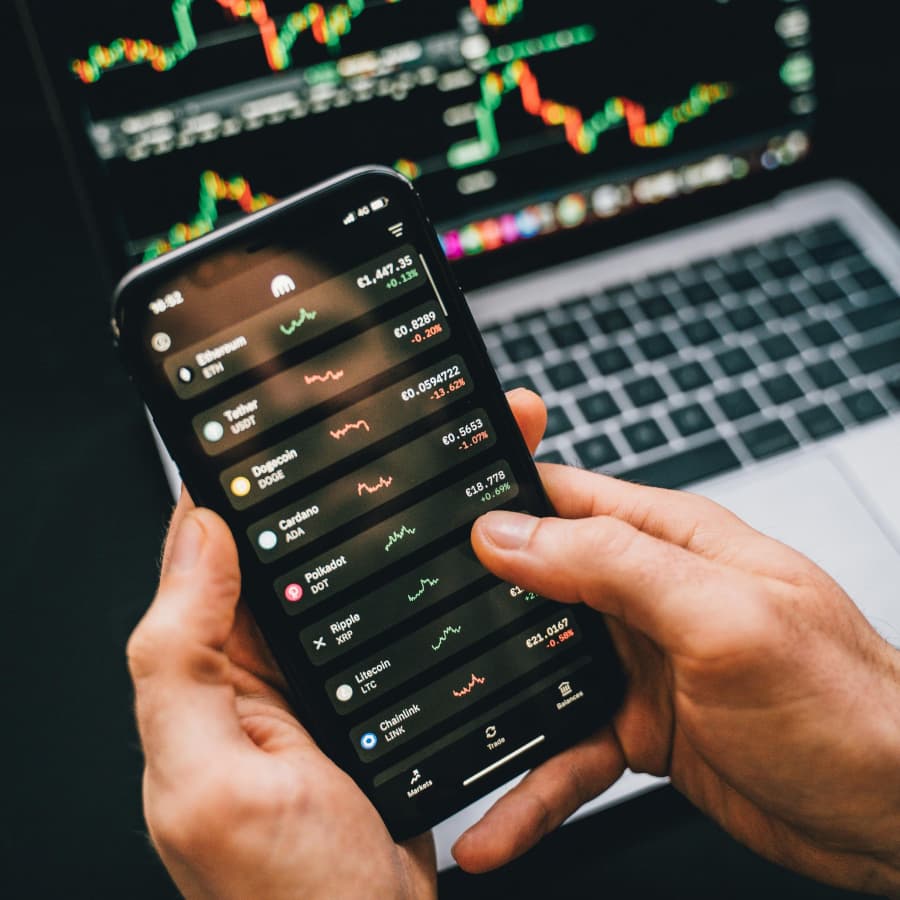
"Trading entirely from your phone is possible. But it requires discipline."

Frequently Asked Questions
Find quick answers to common questions about Forex trading apps, their benefits, and how to choose the right one for your trading journey.
What is the best forex trading app for beginners?
The best forex trading app for beginners is usually a simple, well-designed broker app from a regulated broker, like the Avatrade app or the xStation app from XTB. Beginners should prioritise ease of use, clear order entry, demo trading, education, and risk controls rather than advanced charting or automation.
Is MT4 or MT5 better for mobile trading?
MT5 is generally the stronger modern platform, with more order types, better market depth, and broader asset support. MT4 remains popular because of its huge user base and support for Expert Advisors, but it looks and feels older. On mobile, both platforms are useful, but neither fully replaces the desktop experience.
Is TradingView a trading app?
TradingView is primarily a charting and analysis platform, but is also available as a mobile app. Some brokers support direct trading through TradingView, but many traders use it for analysis and execute trades through MT4, MT5, or their broker’s own platform.
Can I trade forex only on my phone?
Yes, you can trade forex only on your phone, but there are trade-offs. Mobile trading is convenient, but detailed analysis, automation, multi-chart layouts, and precise chart work are easier on desktop.
Are forex trading apps safe?
A forex trading app is only as safe as the broker behind it. Always check whether the broker is regulated, how client funds are protected, and whether the app uses secure login and account protection features.
Why is my trading app slow?
A slow trading experience may be caused by the app, your internet connection, broker servers, market volatility, or execution infrastructure. The app is the interface, but the broker handles trade execution.
Do app store ratings matter?
They matter, but only as supporting evidence. Ratings can reflect ease of use, stability issues and login problems, but also include payment frustrations, connection issues, or regional issues. They should not be treated as a complete measure of trading quality.
Can I use automated trading on a mobile app?
Not properly. Automated trading usually requires MT4, MT5, cTrader or TradingView on desktop, often with a VPS. Mobile apps are useful for monitoring automated trades, but not for running them.
Others Also Viewed
Explore more resources that fellow traders find helpful! Check out these other guides to enhance your forex trading knowledge and skills. Whether you’re searching for the best brokers, educational material, or something more specific, we’ve got you covered.

Best Brokers in the Philippines
Discover the top Forex brokers in the Philippines. Compare top platforms, fees and features to make an informed trading choice.

How does Forex Trading Work?
What is Forex trading and how does it work? An easy-to-read guide including how to trade, and how to choose a reliable broker.

Forex Brokers for Beginners
Explore the best Forex brokers for beginners in the Philippines with user-friendly platforms, educational resources, and demo accounts.
60-90% of retail traders lose money trading Forex and CFDs. You should consider whether you understand how CFDs and leveraged trading work and if you can afford the high risk of losing your money. We may receive compensation when you click on links to products we review. Please read our advertising disclosure. By using this website, you agree to our Terms of Service.
Meet the Experts Behind Our Unbiased Reviews
Chris Cammack
Partner Manager and Financial Writer

Chris Cammack is partner manager and senior financial writer at FxScouts, specialising in broker relations and forex market analysis. As the former Head of Content (2019–2024), he set editorial standards for all content published at FxScouts, including broker reviews, broker comparison pages and education. With over a decade of experience in editorial management and partner relations, Chris builds and maintains our relationships with our partners to provide the best Forex trading experience for our users. He also co-hosts the “Let’s Talk Forex” podcast with Alison Heyerdahl, where he explores trading strategies, industry news, and macroeconomic trends to help traders navigate the markets with confidence.
Alison Heyerdahl
Head of Content
Alison Heyerdahl is the Head of Content at FxScouts, a Chartered Market Technician (CMT), an experienced trader, and a financial writer with extensive hands-on experience in the Forex trading industry. She specialises in Forex trading, broker analysis, and market research, with a focus on helping traders navigate the complex world of online trading safely and confidently. Alison has tested and reviewed more than 100 Forex brokers, assessing everything from regulatory status and trading conditions to platform features and customer support. Her goal is to provide honest, detailed, and practical insights that traders can rely on when choosing a broker. She’s also produced more than 100 educational videos for the FxScouts YouTube channel, where she explains trading concepts in a clear, accessible way. As the co-host of the “Let’s Talk Forex” podcast, Alison shares expert commentary on broker reliability, trading strategies, and market developments—always with a focus on transparency and trader protection.
Stefan de Clerk
Financial Writer
Stefan is a financial writer and Forex trading enthusiast with over a decade of experience creating in-depth content on finance and technology. His deep interest in geopolitical events, big data, and market sentiment fuels his passion for analyzing how global factors shape financial markets. With a background in marketing and financial research, Stefan believes that Forex trading offers the best insight into the pulse of the world economy. Committed to delivering well-researched, unbiased, and objective information, he helps traders navigate the markets with clarity and confidence.
Learn, Trade, Succeed


Congratulations!
Welcome to the FxScouts community! We’re thrilled to have you on board. You’ve successfully signed up for our forex newsletter, where you’ll receive expert insights, market analysis, and the latest news straight to your inbox.
Get ready to stay ahead of the curve with our regular updates designed to help you make informed trading decisions.
Happy trading!
The FxScouts Team
Our broker ratings are derived from rigorous testing by industry experts and experienced traders. We thoroughly evaluate regulatory compliance, security, transparency, trading performance, and customer service. We never accept payment for higher scores, ensuring our ratings remain unbiased, factual, and trustworthy—so you can confidently choose a reliable broker for your financial safety and trading success.
For detailed information about our testing methodology click here.